
Signing in securely
Two-factor authentication, recovery codes, single sign-on, and the org-wide switches that decide how everyone else gets in.
Vendorica holds your contracts, your findings and your regulatory filings. The account protecting all of that is worth ten minutes.
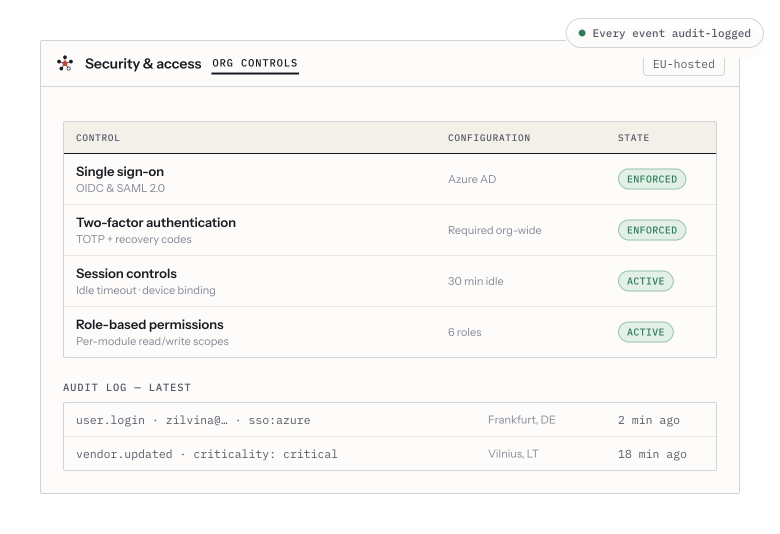
Single sign-on, enforced two-factor, role-based permissions and session controls — with every access event recorded in the audit trail.
Turn on two-factor authentication
Section titled “Turn on two-factor authentication”Your own security settings live under your avatar, in Account → Security.
-
Choose Enable two-factor authentication. Vendorica shows a QR code and, next to it, a manual entry key for authenticator apps that cannot scan.
-
Scan it with your authenticator app. Any TOTP app works — the one your organization already standardises on is the right choice.
-
Enter the six-digit code the app shows, to prove the pairing worked.
-
Store the recovery codes. They are shown once. Put them where you keep other break-glass credentials — a password manager, not a note on your desktop.
If your organization requires it
Section titled “If your organization requires it”An administrator can require two-factor for everyone in Settings → Security. When that is on, anyone without it is walked through the enrolment above at their next sign-in — scan, verify, store recovery codes — before they can reach anything else.
The org-wide switches
Section titled “The org-wide switches”Settings → Security carries the controls that apply to every member:
- Require two-factor authentication — the switch above.
- Allow magic-link login — whether a signed link by email is accepted as a way in.
- Bind sessions to device — a session stops working if it is replayed somewhere else.
- Session idle timeout — how long an unused session survives.
Turn these up deliberately, not defensively. A ten-minute idle timeout that signs people out mid-review teaches them to hate the product, and it does not make anything meaningfully safer.
Single sign-on
Section titled “Single sign-on”Settings → SSO configures SAML 2.0 identity providers, and SCIM 2.0 for outbound provisioning so accounts are created and deactivated from your directory rather than by hand. There is a test SAML login on the same page — use it before you switch anyone over, because a misconfigured identity provider locks out everybody at once.
Who did what
Section titled “Who did what”Every sign-in, permission change and access event is recorded in the Audit Trail (in the sidebar, near the bottom). It is append-only and hash-chained, so it answers the auditor’s question — who saw this, and when — without anyone having to remember.
Related
Section titled “Related”- Roles and permissions — what a signed-in person can then do.
- Inviting your team — getting them in in the first place.